4.AB包的依赖包
4.1 知识点
手动加载AB包的依赖包
创建红色材质球挂到立方体上。材质球没有在 Inspector 里手动指定 AB 包名,但 Browser 里 model 包会自动标出对红色材质的依赖。
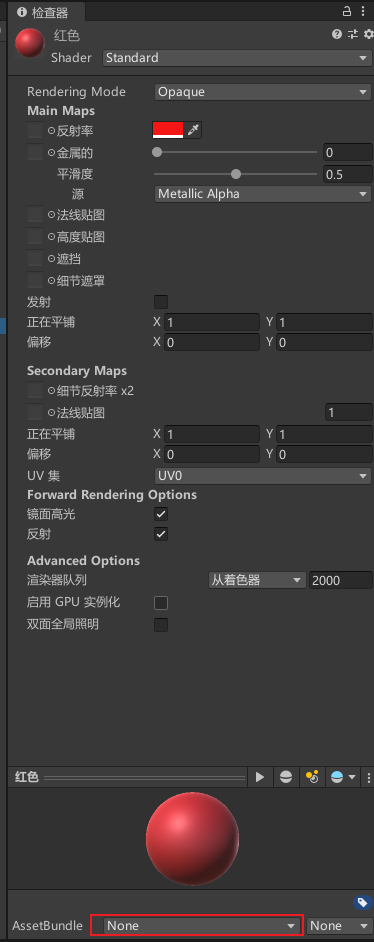
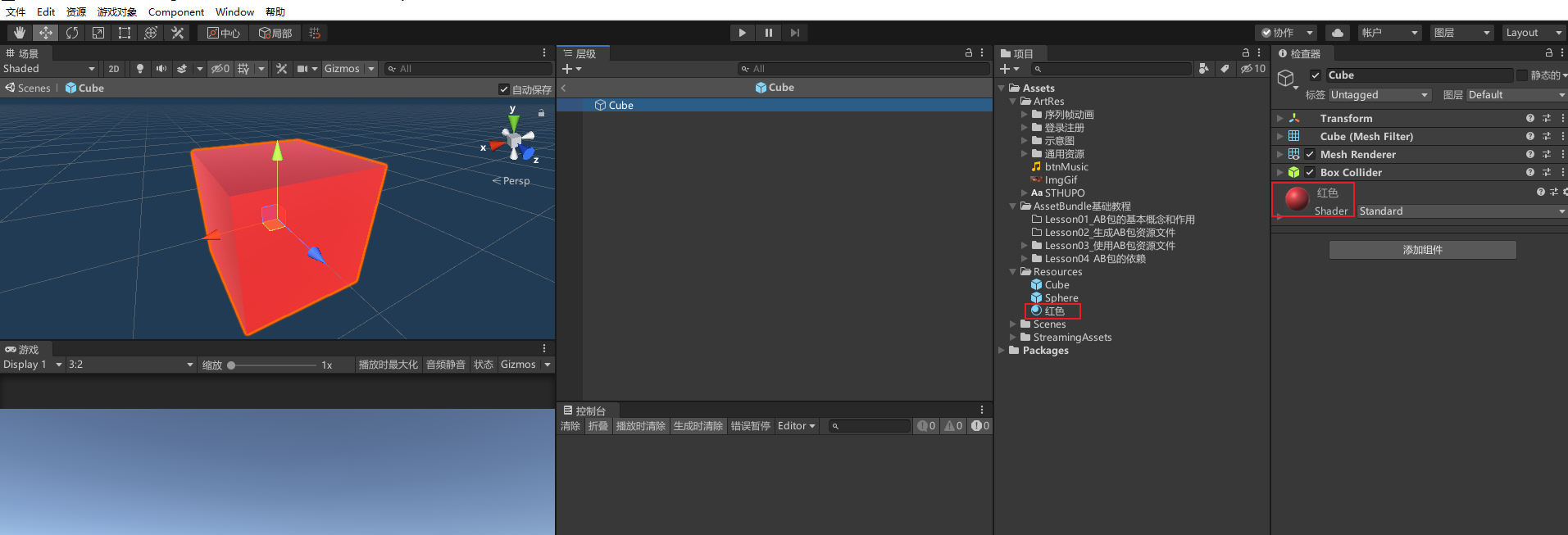
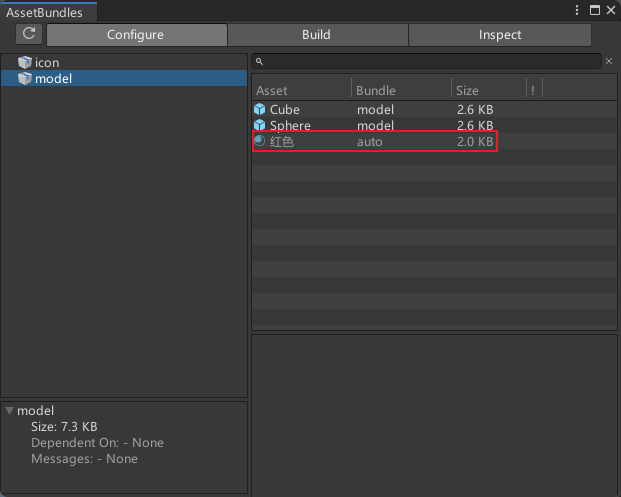
但是假如把红色材质球放到了icon包,那么就不会自动依赖到model包
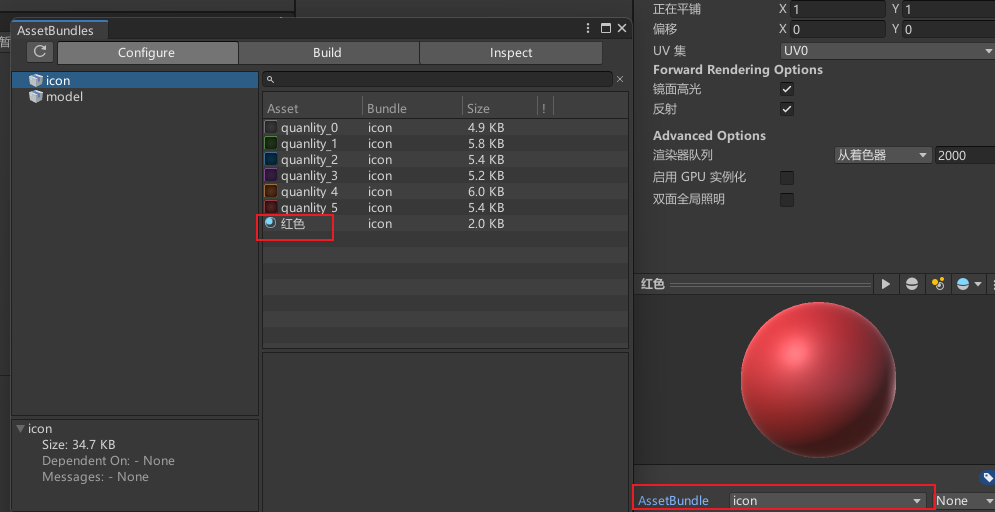
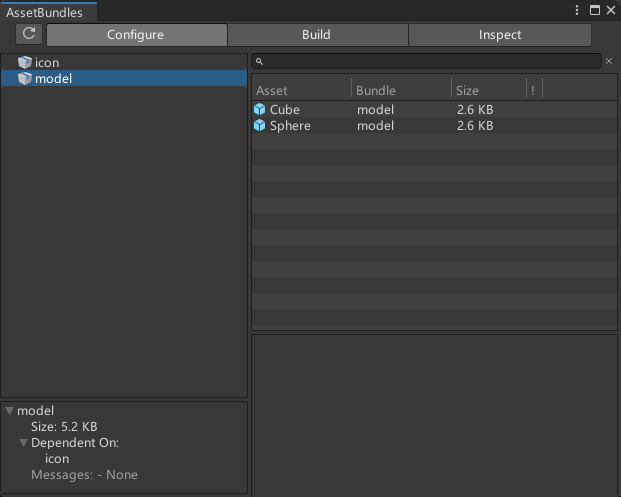
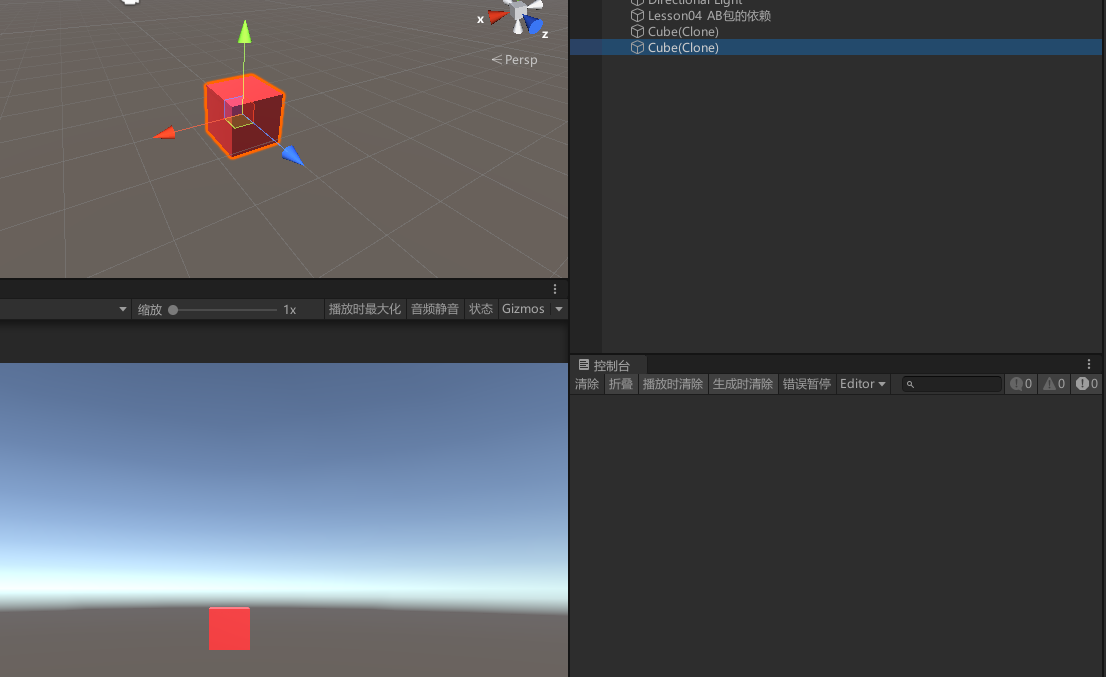
点击重新生成AB包后,使用AB包同步加载cube,由于model包没有cube需要的材质,材质所在的icon包没有被加载。加载出来的cube会丢失。
AssetBundle modelAssetBundle = AssetBundle.LoadFromFile(Application.streamingAssetsPath + "/" + "model");
GameObject cube = modelAssetBundle.LoadAsset("Cube", typeof(GameObject)) as GameObject;
Instantiate(cube);//生成的cube会丢失依赖的材质

加载红色材质球所在的icon包,cube能正常显示了
//加载依赖包
AssetBundle iconAssetBundle = AssetBundle.LoadFromFile(Application.streamingAssetsPath + "/" + "icon");
Instantiate(cube);//生成的cube可以正常显示材质
通过主AB包的依赖关系清单文件加载AB包的依赖包
//加载主包 主包的名字和AB包生成路径一样
AssetBundle mainAssetBundle = AssetBundle.LoadFromFile(Application.streamingAssetsPath + "/" + "PC");

//加载AB包依赖关系清单文件
//AssetBundleManifest是Unity中用于管理AB包依赖关系的类。
AssetBundleManifest assetBundleManifest = mainAssetBundle.LoadAsset<AssetBundleManifest>("AssetBundleManifest");

//GetAllDependencies方法 传入AB包名得到AB包依赖的所有AB包
string[] modelDependenciesAssetBundleNameArray = assetBundleManifest.GetAllDependencies("model");

//遍历依赖的所有AB包
for (int i = 0; i < modelDependenciesAssetBundleNameArray.Length; i++)
{
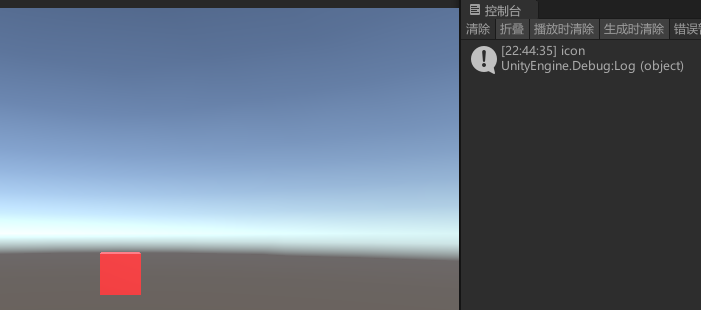
    Debug.Log(modelDependenciesAssetBundleNameArray[i]);//icon
    AssetBundle.LoadFromFile(Application.streamingAssetsPath + "/" + modelDependenciesAssetBundleNameArray[i]);//遍历加载所有依赖的AB包
}

// GetAllDependencies 只给出「依赖包」列表,不含 model 自身;需再打开目标包后才能 LoadAsset
AssetBundle modelAssetBundle = AssetBundle.LoadFromFile(Application.streamingAssetsPath + "/" + "model");
GameObject cube2 = modelAssetBundle.LoadAsset("Cube", typeof(GameObject)) as GameObject;
Instantiate(cube2);//生成的cube因为加载了所需要的所有依赖包 不会丢失材质
4.2 知识点代码
using System.Collections;
using System.Collections.Generic;
using UnityEngine;

public class Lesson04_AB包的依赖包 : MonoBehaviour
{
    void Start()
    {
        #region 知识点一 手动加载AB包的依赖包

        AssetBundle modelOnly = AssetBundle.LoadFromFile(Application.streamingAssetsPath + "/" + "model");
        GameObject cube = modelOnly.LoadAsset("Cube", typeof(GameObject)) as GameObject;
        Instantiate(cube);//生成的cube会丢失依赖的材质

        //加载依赖包
        //AssetBundle iconAssetBundle = AssetBundle.LoadFromFile(Application.streamingAssetsPath + "/" + "icon");
        //Instantiate(cube);//生成的cube可以正常显示材质

        #endregion

        #region 知识点二 通过主AB包的依赖关系清单文件加载AB包的依赖包

        //加载主包 主包的名字和AB包生成路径一样
        AssetBundle mainAssetBundle = AssetBundle.LoadFromFile(Application.streamingAssetsPath + "/" + "PC");

        //加载AB包依赖关系清单文件
        //AssetBundleManifest是Unity中用于管理AB包依赖关系的类。
        AssetBundleManifest assetBundleManifest = mainAssetBundle.LoadAsset<AssetBundleManifest>("AssetBundleManifest");

        //GetAllDependencies方法 传入AB包名得到AB包依赖的所有AB包
        string[] modelDependenciesAssetBundleNameArray = assetBundleManifest.GetAllDependencies("model");

        //遍历依赖的所有AB包
        for (int i = 0; i < modelDependenciesAssetBundleNameArray.Length; i++)
        {
            Debug.Log(modelDependenciesAssetBundleNameArray[i]);//icon
            AssetBundle.LoadFromFile(Application.streamingAssetsPath + "/" + modelDependenciesAssetBundleNameArray[i]);//遍历加载所有依赖的AB包
        }

        // GetAllDependencies 不含目标包本身;打开 model 后再取资源
        AssetBundle modelAssetBundle = AssetBundle.LoadFromFile(Application.streamingAssetsPath + "/" + "model");
        GameObject cube2 = modelAssetBundle.LoadAsset("Cube", typeof(GameObject)) as GameObject;
        Instantiate(cube2);//生成的cube因为加载了所需要的所有依赖包 不会丢失材质

        #endregion

    }
}
转载请注明来源,欢迎对文章中的引用来源进行考证,欢迎指出任何有错误或不够清晰的表达。可以在下面评论区评论,也可以邮件至 785293209@qq.com